



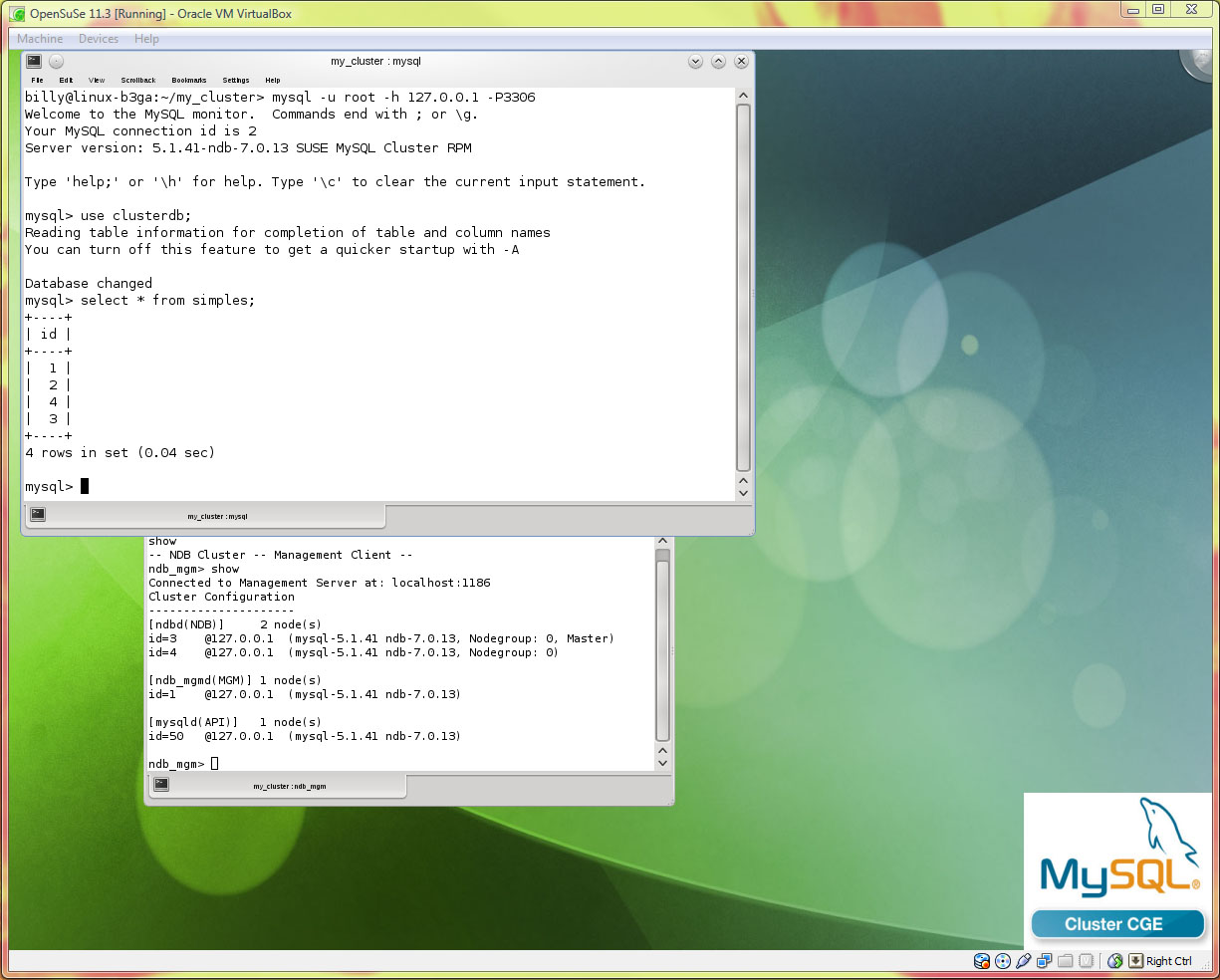
openSUSE 11.3 Running MySQL Cluster
With the release of openSUSE 11.3 they announced the inclusion of MySQL Cluster. What does this mean as you could already install and run MySQL Cluster on openSUSE (and any other LINUX platform for that matter)? The change is that you can now use their tool (zypper) to install the MySQL Cluster RPMs and most importantly replace the ‘regular’ MySQL Server with the one that should be used with MySQL Cluster.
Personally I prefer installing MySQL Cluster from the tar ball as it gives me more control (for example, openSUSE is using MySQL Cluster 7.0 but I prefer to use 7.1 as that’s the latest GA release). Having said that, I was pleasantly surprised at how simple it was using the zypper tool (running as root):
linux-b3ga:/home/billy # zypper install mysql-cluster
Loading repository data...
Reading installed packages...
Resolving package dependencies...

Problem: mysql-cluster-7.0.13-2.10.i586 conflicts with namespace:otherproviders(mysql) provided by mysql-community-server-5.1.46-2.18.i586
 Solution 1: Following actions will be done:
 deinstallation of mysql-community-server-5.1.46-2.18.i586
 deinstallation of mysql-community-server-client-5.1.46-2.18.i586
 Solution 2: do not install mysql-cluster-7.0.13-2.10.i586

Choose from above solutions by number or cancel [1/2/c] (c): 1
Resolving dependencies...
Resolving package dependencies...

The following NEW packages are going to be installed:
 libmysqlclusterclient16 libmysqlclusterclient_r16 mysql-cluster
 mysql-cluster-client

The following packages are going to be REMOVED:
 mysql-community-server mysql-community-server-client

4 new packages to install, 2 to remove.
Overall download size: 8.4 MiB. After the operation, additional 1.4 MiB will be
used.
Continue? [y/n/?] (y): y

Removing mysql-community-server-5.1.46-2.18 [done]
Additional rpm output:
Shutting down service MySQL ..done

Removing mysql-community-server-client-5.1.46-2.18 [done]
Retrieving package libmysqlclusterclient_r16-7.0.13-2.10.i586 (1/4), 484.0 KiB (1.4 MiB unpacked)
Retrieving: libmysqlclusterclient_r16-7.0.13-2.10.i586.rpm [done (455.5 KiB/s)]
Installing: libmysqlclusterclient_r16-7.0.13-2.10 [done]
Retrieving package libmysqlclusterclient16-7.0.13-2.10.i586 (2/4), 483.0 KiB (1.4 MiB unpacked)
Retrieving: libmysqlclusterclient16-7.0.13-2.10.i586.rpm [done (67.2 KiB/s)]
Installing: libmysqlclusterclient16-7.0.13-2.10 [done]
Retrieving package mysql-cluster-client-7.0.13-2.10.i586 (3/4), 150.0 KiB (339.0 KiB unpacked)
Retrieving: mysql-cluster-client-7.0.13-2.10.i586.rpm [done]
Installing: mysql-cluster-client-7.0.13-2.10 [done]
Retrieving package mysql-cluster-7.0.13-2.10.i586 (4/4), 7.3 MiB (26.9 MiB unpacked)
Retrieving: mysql-cluster-7.0.13-2.10.i586.rpm [done (583.8 KiB/s)]
Installing: mysql-cluster-7.0.13-2.10 [done]
At this point the regular MySQL Server (mysqld) has been replaced with the one designed for use with MySQL Cluster (still works for other storage engines).
As I also want to run the management and data nodes on the same server, I installed those too (along with the tools):
linux-b3ga:/home/billy # zypper in mysql-cluster-ndb-management
linux-b3ga:/home/billy # zypper in mysql-cluster-ndb-storage
linux-b3ga:/home/billy # zypper install mysql-cluster-ndb-tools
Once the installations are complete you can configure, fire up and test MySQL Cluster as described in previous post. Note that ndb_mgmd, ndbd/ndbmtd and mysqld will be in /usr/sbin while mysql_install_db, ndb_mgm and mysql will be in /usr/local/bin.
When you connect the mysql client, you’ll see a confirmation that you’re using the MySQL Cluster version of the MySQL Server:
billy@linux-b3ga:~/my_cluster> mysql -u root -h 127.0.0.1 -P3306
Welcome to the MySQL monitor.  Commands end with ; or g.
Your MySQL connection id is 2
Server version: 5.1.41-ndb-7.0.13 SUSE MySQL Cluster RPM